
Signal Tips and Tricks
Set a Signal Handle ( Username)
A Signal Handle or username can be used instead of your telephone number when connecting with other people.
It also generates a QR code that can bed used to connect with eachother.
Tap your profile picture - and find the section with an @
Set the desired username and a 2-digit number or use the one suggested.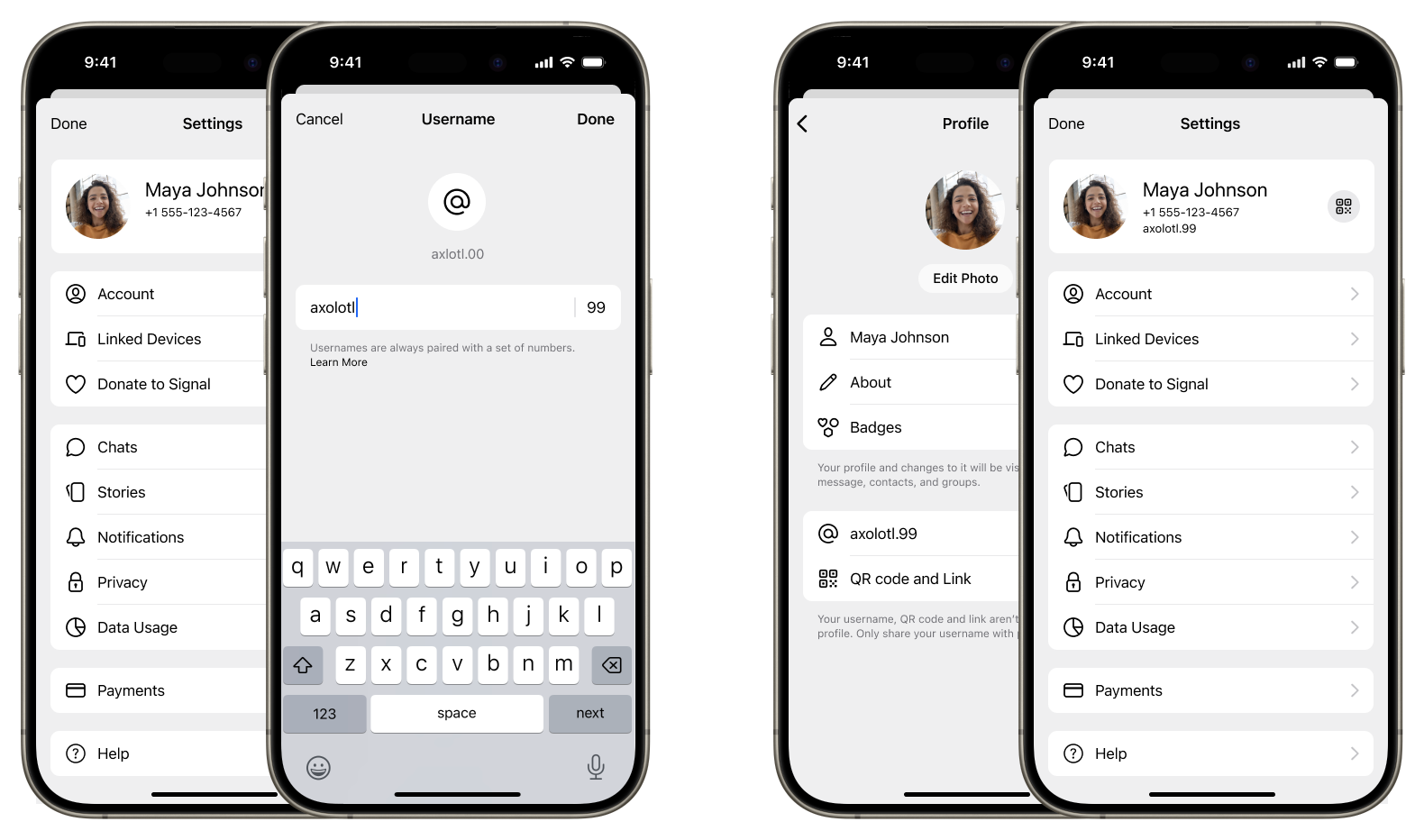
This username can now be relayed to any contacts.
The username can always be changed if needed - if you suspect its being to widely spread, change to a different handle - this wont affect your established contacts.
Message status indicators
How do you know if a message is delivered and read ?
Messages has an indicator in the bottom right of the message with the following meaning:
 Sending
This indicates that your message is in the process of being sent. If this continues for an extended period of time, please ensure that your device is connected to the internet.
 Sent
Sent
This indicates that your message has been sent to the Signal service. If you see this icon, there is no issue with your phone's connectivity.
 Delivered
This indicates that the message has been delivered to the recipient's device.
 Read
Read
If both you and your contact have read receipts enabled, this indicates your contact has read the message.
Send a short video
You can send a short video in a chat, by starting the camera, and then press the release-button and keeping it pressed - a video will be recorded. When released you can replay the video before posting it. Remember to select front camera to be visible in the video.