# Member administration

As a Chair in a group, you are also co-responsible to maintain the memberlist in the chat.

This includes:

- Inviting users
- Removing users
- Approve/Reject user access

You are therefor appointed "admin" rights in the chat groups you are responsible for.

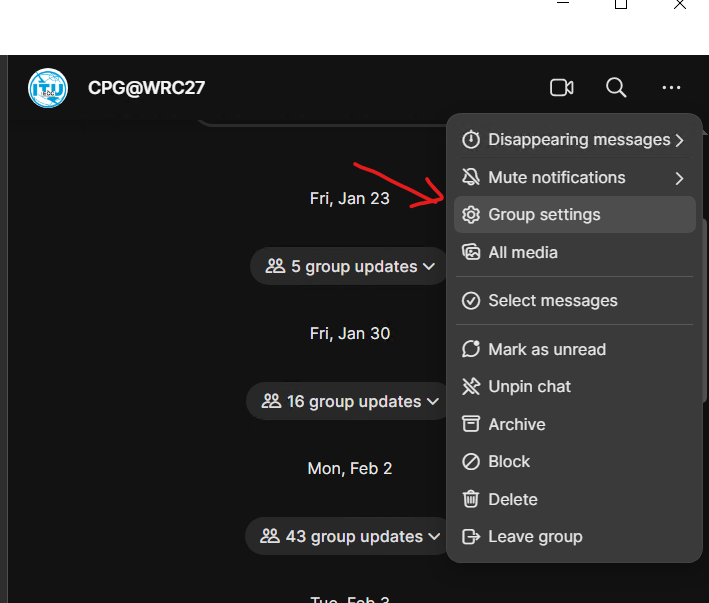
In the Signal App, you find the admin section by clicking the three dots upper right when in the group, go to group settings. (same on both desktop and mobile)

##### Managing /inviting members:

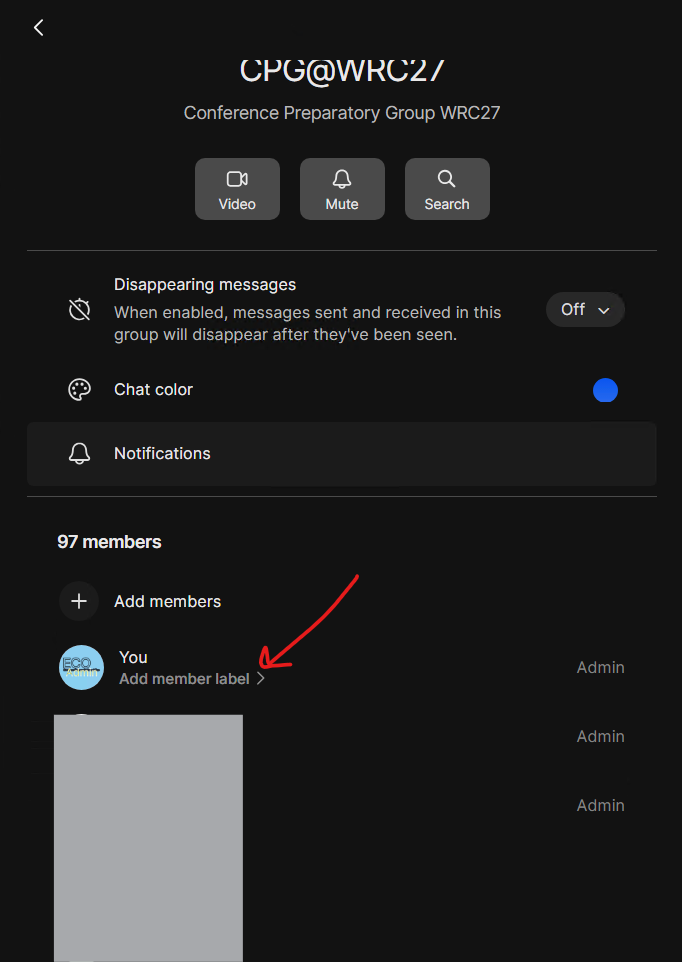
<table border="1" id="bkmrk-find-members-in-grou" style="border-collapse: collapse; width: 100%;"><colgroup><col style="width: 33.3333%;"></col><col style="width: 33.3333%;"></col><col style="width: 33.3333%;"></col></colgroup><tbody><tr><td>Find members in Group Setting

</td><td>Click on any member to get options

Click the "+ Add member" to invite a member

</td><td>Options for the user</td></tr><tr><td>[![0Zn8sUtJyREvDOyO-image.png](https://wiki.cept.org/uploads/images/gallery/2026-04/scaled-1680-/BCt4yXzuTlkLFMA8-0zn8sutjyrevdoyo-image.png)](https://wiki.cept.org/uploads/images/gallery/2026-04/BCt4yXzuTlkLFMA8-0zn8sutjyrevdoyo-image.png)

</td><td>[![cERkNEsfPNX2aM4r-image.png](https://wiki.cept.org/uploads/images/gallery/2026-04/scaled-1680-/iaS1QJhjgON5A2U7-cerknesfpnx2am4r-image.png)](https://wiki.cept.org/uploads/images/gallery/2026-04/iaS1QJhjgON5A2U7-cerknesfpnx2am4r-image.png)

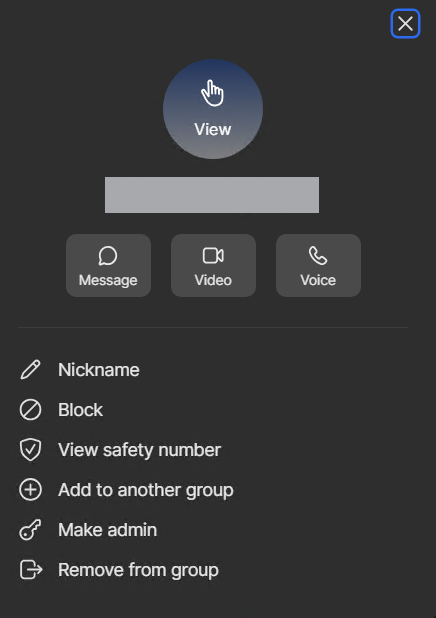
</td><td>[![image.png](https://wiki.cept.org/uploads/images/gallery/2026-04/scaled-1680-/4KnTUyGP1xdHkvSp-image.png)](https://wiki.cept.org/uploads/images/gallery/2026-04/4KnTUyGP1xdHkvSp-image.png)

  
**Do NOT promote to admin without consulting ECO expert.**

</td></tr></tbody></table>

##### Approving / Denying Requests

<table border="1" id="bkmrk-find-%22requests-and-i" style="border-collapse: collapse; width: 100%;"><colgroup><col style="width: 33.3333%;"></col><col style="width: 33.3333%;"></col><col style="width: 33.3333%;"></col></colgroup><tbody><tr><td>Find "Requests and Invites" :</td><td>Accept or delete request/invite</td><td>  
</td></tr><tr><td>Go to "Group Settings"

[![image.png](https://wiki.cept.org/uploads/images/gallery/2026-04/scaled-1680-/IfUNc2wQtxkFE6zm-image.png)](https://wiki.cept.org/uploads/images/gallery/2026-04/IfUNc2wQtxkFE6zm-image.png)

</td><td>[![image.png](https://wiki.cept.org/uploads/images/gallery/2026-04/scaled-1680-/lc3JI6Jrqw6JZkJd-image.png)](https://wiki.cept.org/uploads/images/gallery/2026-04/lc3JI6Jrqw6JZkJd-image.png)

</td><td>  
</td></tr></tbody></table>