Group Questions
As a Chair, you have the option to setup Group Questions.
The tool can be used to ask simple questions to a WG/PT , if you need more complicated workflows, please contact ECO to make use of the Questionnaire tool.
The group questions tool is similar to the "Live Question" tool in MeetingHUB.
To setup a Group Question, find the "Group Question" tab in the WG/PT. If the tab is not there, its because it is not enabled in the group, please contact the responsible ECO export for asisstance.
When clicked you will be presented with a list of ready or on-going questions.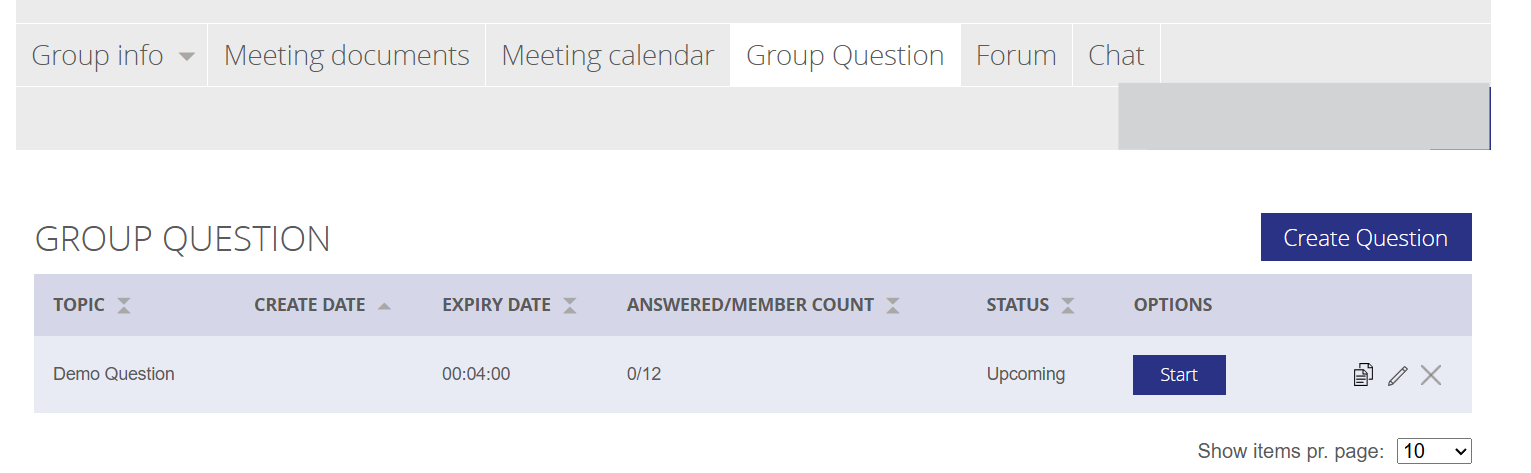
Click the "Create Question" button and fill out the form:
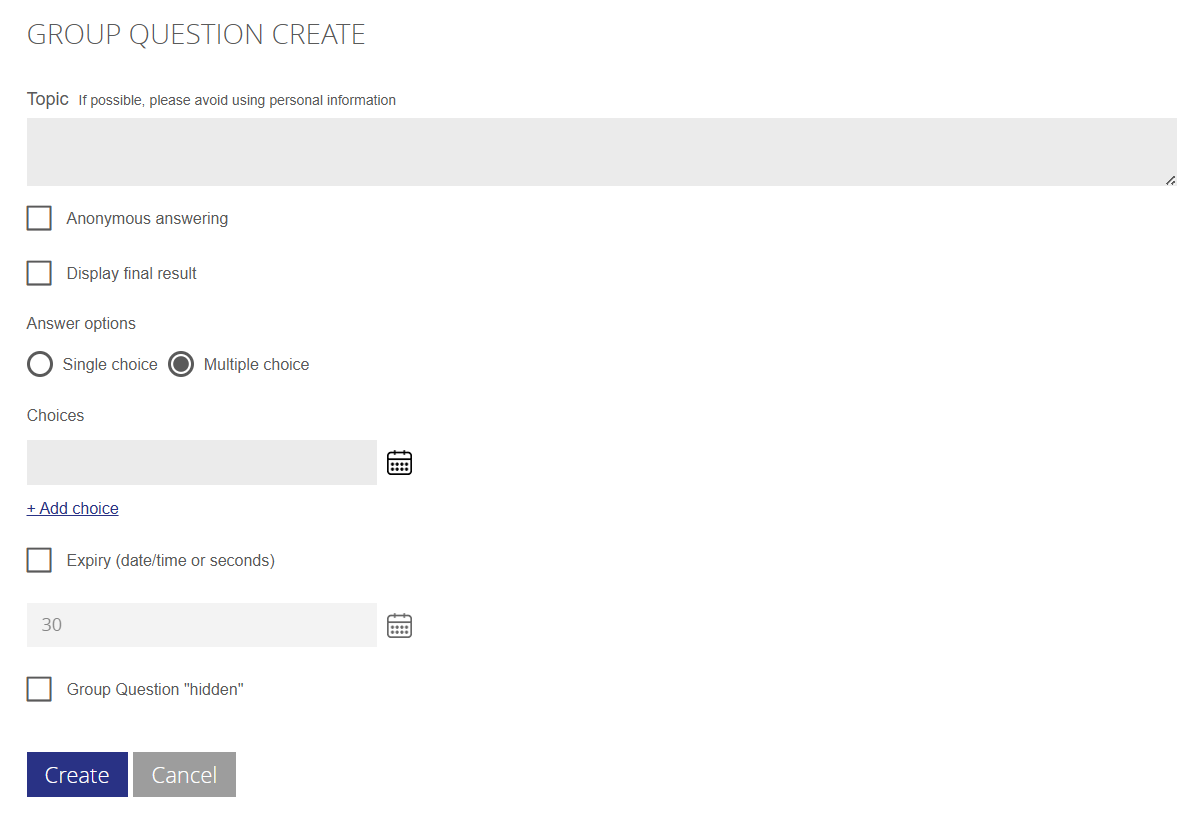
| Topic | The question asked - i.e. "What time for coffee break ? " |
| Anonymous answering | The system will not record who answered what, but only the answer |
| Display final result | The Chair and ECO Staff will always be able to see the final result, but users will only be able to if this box is ticked |
| Answer options | Single choice or multiple choice answers |
| Choices |
Put in the possible answers. If you need to select a date or date range ( for instance if options to find a new meeting date) click the calendar icon. Any text or numbering is accepted There needs to be a minimum of 2 choices. |
| Expiry | Set the date or time in seconds this question will expire. The question is only open in this time span. If not set, the question will have to be closed manually |
| Group Question Hidden | Sometime its needed to send out a question to only a few members, use this option to hide the question in the list - there will be a direct link you can copy and send to the members who need to answer the question. |
'When the Question is created and saved, you ned to activate it by clicking start.

The question will now be visible to the group members and depending on settings it will automatically end, or you will have to end answering period by clicking the button "Finish". You can also finish it before time expires if needed , by clicking "Finish".

In the list you can see how many have answered out of how many group members possible to answer.
Past Group Questions can be found in the profile menu under "Group Questions". Here you can also see the results of the questions.
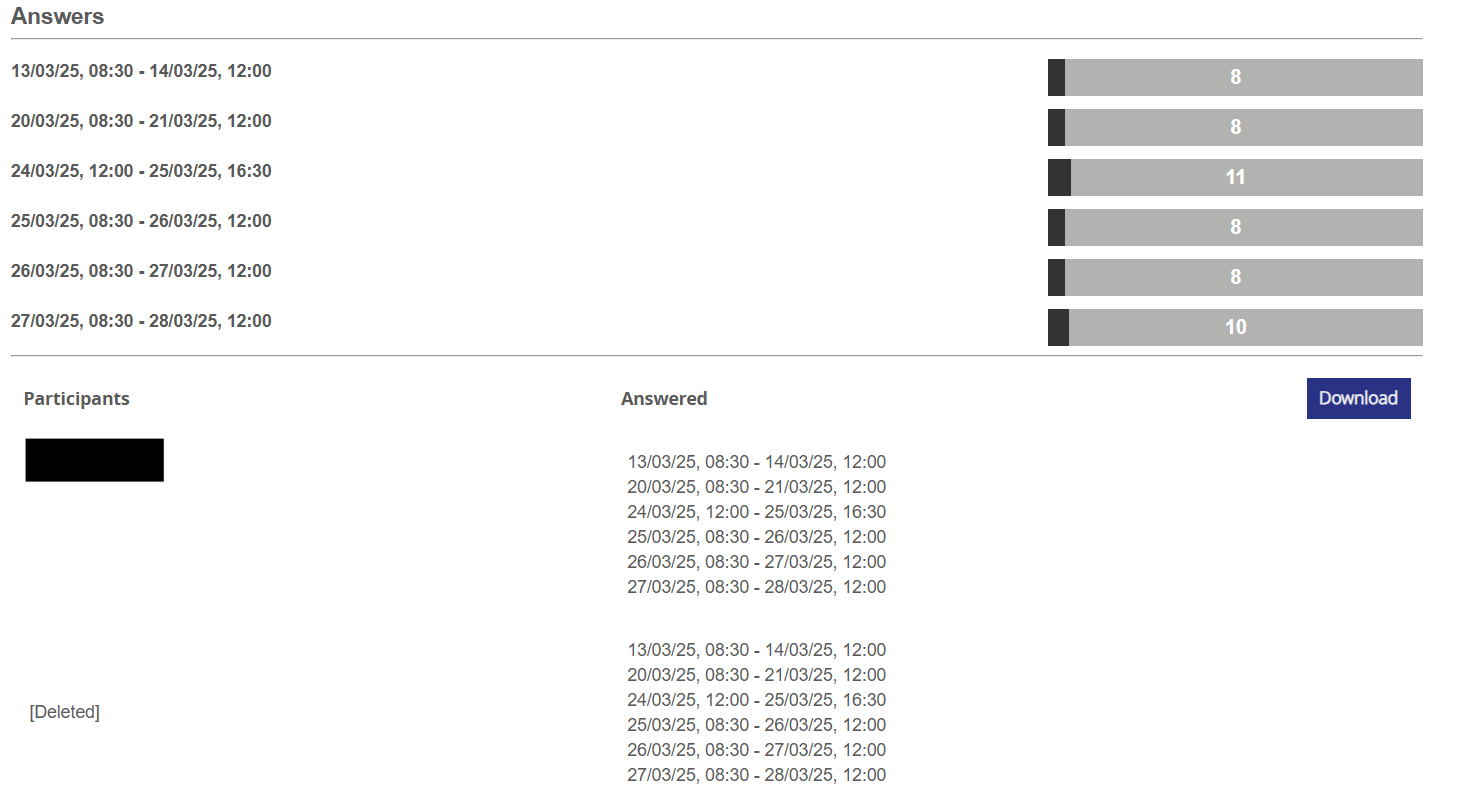
The result can be views in 3 parts, the top is the number of answers pr. option, below is the answers given pr. user and finally its possible to download a CSV file for processing or circulation.