FAQ
Forgot your password ?
If you forgot your password to login to the CEPT portal, you can request to have it reset by the system.
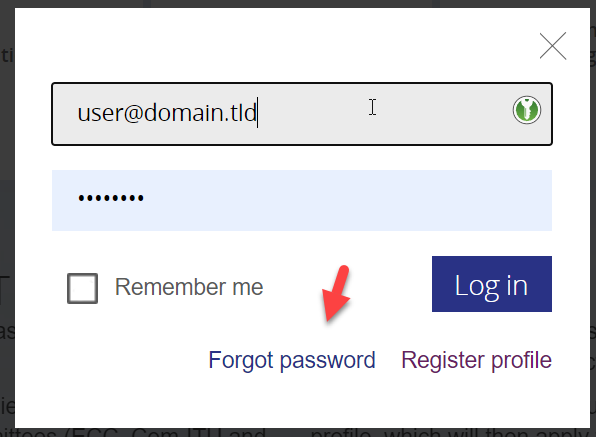
In the login box, click the link “Forgot password”
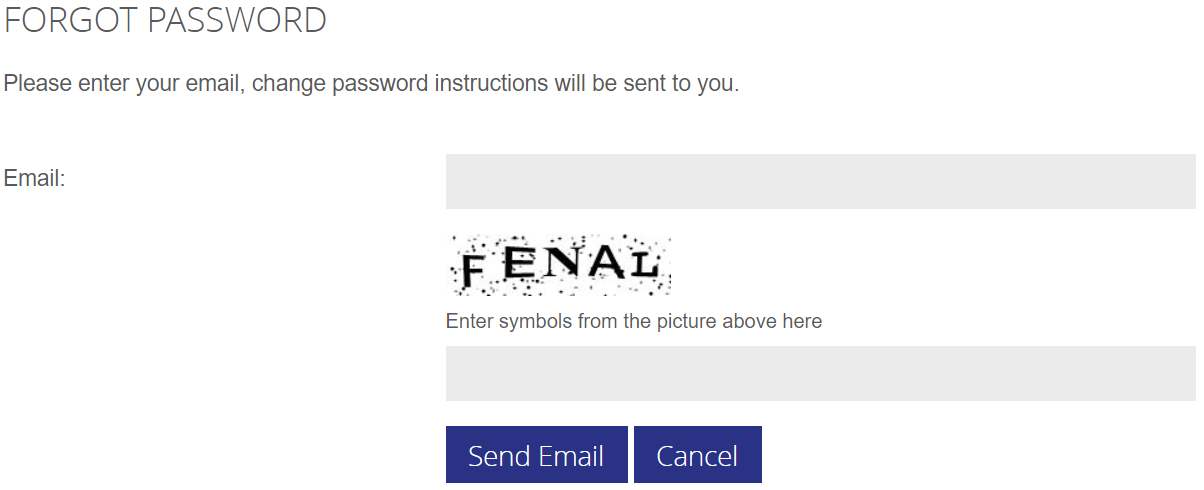
The system will now ask you for your email address and a captcha code to verify you are a human being asking for the password reset. Click the “send email” button when formular is filled.
You will receive an email in your inbox from no-reply@cept.org , with a one-time link to set a new password.
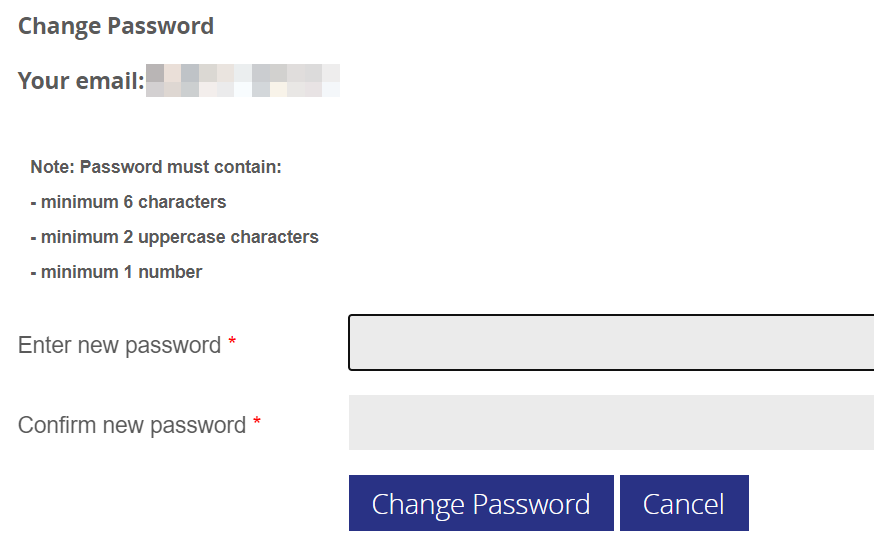
Click the link and enter your preferred password (please note the requirements) :
 If you are having problems setting a new password, please contact helpdesk@eco.cept.org
I need to change my main email address
Usually when you change position or job, your main email address needs to be change.
This has to be done by ECO, and we will follow a procedure to assertain wether you must be removed from the WG/PT you currently are a member of.
If you change :
- Workplace / Job function (internally or externally)
you will be removed from all groups you are a member of, and must apply for membership of relevant groups.
In case of :
- Your domain name changes, but you maintain the same position - we will change your email, group memberships will remain.
- Your domain name changes, and you are being repostioned to new job function in the same organisation - we will remove you from current groups
- death or retirement - your account will be removed completely, it is not possible to re-assign the account to a co-worker or other party.