2.9 Consistency check
The consistency check function is run automatically before the start of an event in order to detect erroneous or inconsistent values in the scenario definition (see Figure 32). You can also trigger it manually as illustrated in Figure 33. The aim of the consistency check is to prevent runtime exceptions during the simulation due to incorrect input values.

The consistency check includes:
-
Warnings if odd configuration are detected for random parameters, such as negative antenna height, etc;
-
Consistency between inter-dependent parameters such as: C/I, C/(N+I), (N+I)/N, and I/N;
-
Verification of the application range of propagation models.
In case it fails, the scenario consistency check will pop up a message window like the below
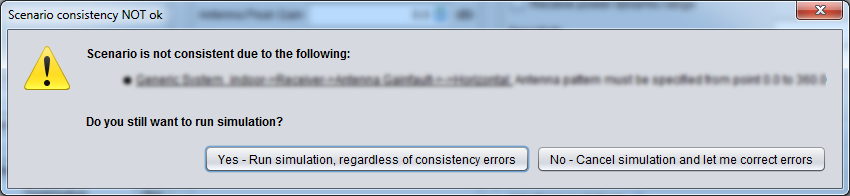
These warnings may be ignored in some cases, but you should be aware of the following:
-
Consistency checks are generally connected to non valid values which cause runtime exceptions during the simulation
-
Each runtime exception generates an appropriate error message which is recorded on the seamcat.log file (located on your SEAMCAT home directory):
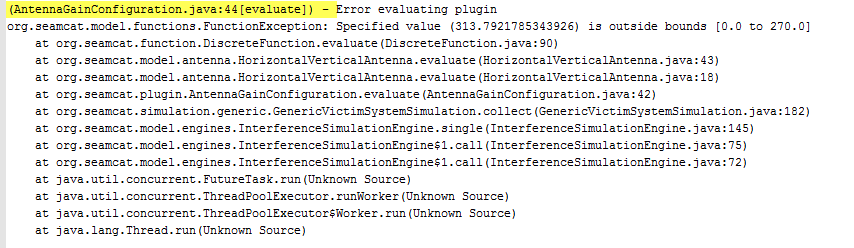
Note that the yellow marked header format can be changed as described in Annex 20.
-
Logging the error messages takes time, hence it significantly increases the simulation time;
-
Depending on the scenario (in particular the number of events simulated) the amount of the seamcat.log file might readily grow up to some tens of Mega Byte per simulation run.
It is therefore highly recommended to solve the reported issues prior to run the simulation. Further information on the meaning of consistency check and SEAMCAT error message is available in ANNEX 19:.
Section 14.3.2 presents the implementation of the consistency check in the source code and for plugin development and its graphical results.