# 2.4.2 Results workspace

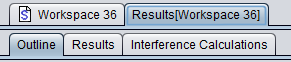
When a simulation is performed, SEAMCAT automatically generates a separate workspace to contain the results which appears as a separate tab entitled ’Results\[Workspace xyz\]’ and stores <u data-renderer-mark="true">read only information.</u>

![image.png](https://wiki.cept.org/uploads/images/gallery/2026-04/scaled-1680-/OtNbUaFwn3bXCzOE-image.png)**Figure 23: Illustration of the workspace results (Highest hierarchy level)**

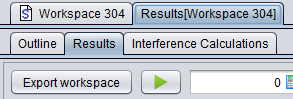
It is not possible to edit any of the input fields in the results tab. It is however possible to select ‘Export workspace’ to generate and open a new workspace scenario entitled ‘Exported Workspace xyz‘ :

<table border="1" id="bkmrk-" style="border-collapse: collapse; width: 100%;"><colgroup><col style="width: 50%;"></col><col style="width: 50%;"></col></colgroup><tbody><tr><td>[![image.png](https://wiki.cept.org/uploads/images/gallery/2026-04/scaled-1680-/27g6xNa9omkeOly5-image.png)](https://wiki.cept.org/uploads/images/gallery/2026-04/27g6xNa9omkeOly5-image.png)  
</td><td>[![image.png](https://wiki.cept.org/uploads/images/gallery/2026-04/scaled-1680-/kiA6EP3pckHOBsjL-image.png)](https://wiki.cept.org/uploads/images/gallery/2026-04/kiA6EP3pckHOBsjL-image.png)

</td></tr></tbody></table>

**Figure 24: Illustration of exporting a results workspace into a scenario workspace**

 The results workspace consists of the following tabs depending on the scenario set-up:

- Outline: The outline of the simulation can be seen with both a summary of the dRSS and iRSS calculation and a graphical overview of the Tx/Rx positions for the victim and interferer(s);
- Results: gives access to a list of all results generated by SEAMCAT and from the EPPs used in the simulation;
- Interference calculations: It gives access to the Interference calculation engine;
- <span data-highlighted="true" data-vc="highlighted-text"><span class="_kqswh2mm"><span class="_5pioz8co _189e1dm9 _1il9buyh _19lc184f _d0altlke" data-testid="definition-highlighter">CDMA</span></span></span> Capacity Finding: This panel is only available when a <span data-highlighted="true" data-vc="highlighted-text">CDMA</span> system is used in the scenario. It indicates the non-interfered capacity (i.e. number of UEs) when the network is gradually filled up with UEs while measuring a specific system outage depending on uplink (<span data-highlighted="true" data-vc="highlighted-text"><span class="_kqswh2mm"><span class="_5pioz8co _189e1dm9 _1il9buyh _19lc184f _d0altlke" data-testid="definition-highlighter">UL</span></span></span>) or downlink (DL) configuration;
- Cellular Structure: This panel is only available when a cellular system (<span data-highlighted="true" data-vc="highlighted-text">CDMA</span> or <span data-highlighted="true" data-vc="highlighted-text"><span class="_kqswh2mm"><span class="_5pioz8co _189e1dm9 _1il9buyh _19lc184f _d0altlke" data-testid="definition-highlighter">OFDMA</span></span></span>) is used in the scenario. It shows the results of the cellular specific simulation – i.e. layout of the cells, position of users and indication of dropped users.

<div class="rich-media-item mediaSingleView-content-wrap image-center css-hu70de" data-layout="center" data-media-vc-wrapper="true" data-node-type="mediaSingle" data-renderer-start-pos="1635" data-vc="media-single" data-width="394" data-width-type="pixel" id="bkmrk--1"><div class="css-1tdqf2i"><div class="css-vhfmu2" contenteditable="false" data-media-badges="true" data-testid="media-badges">  
</div><div data-alt="" data-collection="contentId-493580" data-context-id="493580" data-file-mime-type="" data-file-name="file" data-file-size="1" data-height="63" data-id="f01d8f7a-88ab-46dc-b4a1-f2a89937a029" data-node-type="media" data-renderer-start-pos="1636" data-type="file" data-width="394"><div class="_2rko18qm _vchhusvi _kqswh2mm _ect4ttxp _p12f1osq _c71l1osq _1bsb1qmm _4t3ine4n _1hlmd0i9 _1rquusvi _eg541i5c _mts3kb7n _1ntskb7n _yfmhtlke _5sb1v00u new-file-experience-wrapper" data-media-vc-wrapper="true" data-testid="media-card-view" id="bkmrk--2"><div class="_1reo15vq _18m915vq _2rko18qm _1e0c1txw _kqswh2mm _p12f1osq _1bsb1osq _4t3i1osq _c71l1osq media-file-card-view" data-cursor="pointer" data-test-media-name="25.png" data-test-progress="1" data-test-source="remote" data-test-status="complete" data-testid="media-file-card-view"><div class="_kqswstnw _1bsb1osq _4t3i1osq _1e0c1txw _2lx21bp4 _1bah1h6o _4cvr1h6o" data-testid="ImageRendererWrapper">![](blob:https://ecowiki.atlassian.net/83e0b36d-adcd-4651-b51c-f6b4b44f9b27#media-blob-url=true&id=f01d8f7a-88ab-46dc-b4a1-f2a89937a029&collection=contentId-493580&contextId=493580&width=394&height=63&alt=&clientId=113268fe-fe5b-4bc3-8ff3-07965dbf1d18)</div></div></div></div></div></div>[![image.png](https://wiki.cept.org/uploads/images/gallery/2026-04/scaled-1680-/Bovl94mR16LeI1V4-image.png)](https://wiki.cept.org/uploads/images/gallery/2026-04/Bovl94mR16LeI1V4-image.png)

<div class="fabric-editor-block-mark fabric-editor-alignment" data-align="center" id="bkmrk-figure-25%3A-results-w">**Figure 25: Results workspace with a Cellular system (the “<span data-highlighted="true" data-vc="highlighted-text">CDMA</span> capacity finding” is only available with <span data-highlighted="true" data-vc="highlighted-text">CDMA</span> simulation)**</div>