2.13 Simulation report
Any simulations and their results overview can be presented in a report. This report is automatically generated by SEAMCAT. Select the Report command from the Workspace menu, click on the Report icon of the toolbar ( ) or press <CTRL+R> to activate the Report options window:
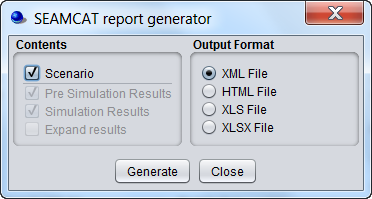
In this dialog window, the contents of the generated report can be configured, by checking or un-checking following items:
-
Scenario: It indicates whether all scenario parameters should be included or not;
-
Pre Simulation results: Pre-simulation is a result group where a simulation can store results that are calculated before the simulation starts. This is used primarily for the cellular simulations were complex calculations are conducted before the simulation begins (e.g. capacity findings for CDMA). For some simulation this can be empty. Currently the generic simulation has no need for presimulation results and therefore leaves the group empty;
-
Simulation results: It indicates whether simulation control parameters should be included or not;
-
Expand results: It allows expanding tabular data by checking or unchecking the Expand tabular data option.
There are three formats for the report:
-
XML File (default);
-
HTML File;
-
Excel File (.xls and .xlsx).
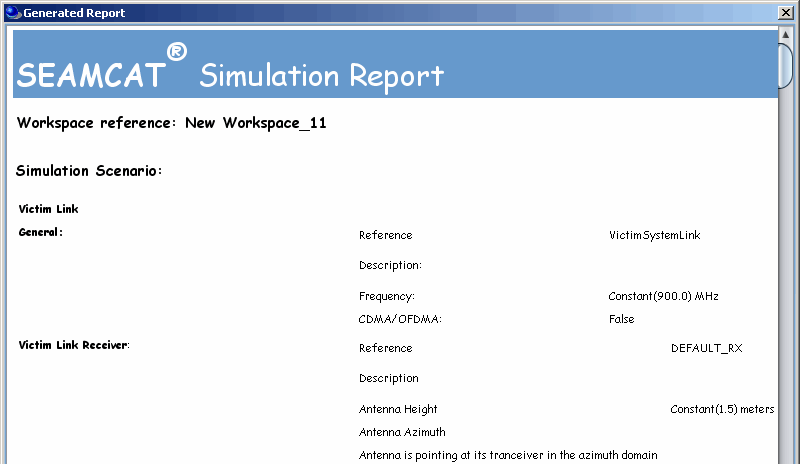
When clicking on “Generate”, a file is automatically generated in the “reports” folder under the SEAMCAT home directory (see Figure 15).
For all other data types the output is similar to their display in the workspace tree view except that couples of values defining user-defined random data, functions, and radiation patterns are fully expanded.