2.12.1 Saving workspace and batch
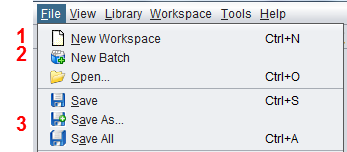
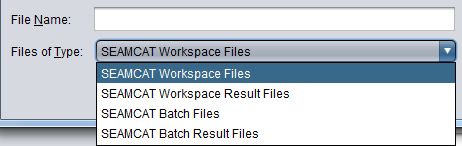
Workspaces can be saved <CTRL+S> or “save as” (either scenario or results)/batch by using the default option SEAMCAT offers in the File menu. The file extension is appended automatically. These are SEAMCAT-specific file extensions. The .sws, .swr, sbj and sbr format are equivalent to a .zip file. Table 5 provides an overview and a description of the files contained per extension.
When closing SEAMCAT without previously having saved or closed the workspace, a prompt window will appear asking whether any changes to the workspace should be saved.
|
SEAMCAT file type |
SEAMCAT extension |
Files contained |
|
SEAMCAT Workspace Scenario |
.sws |
Scenario.xml |
|
SEAMCAT Workspace Results |
.swr |
Scenario.xml and results.xml |
|
SEAMCAT batch job |
.sbj |
Batch.xml |
|
SEAMCAT batch results |
.sbr |
Batch.xml and workspace xy_results.xml |